



Creating a home office that feels both cozy and productive can make a big difference in your daily work routine. Whether you are working remotely full-time or just need a dedicated spot for occasional tasks, having a comfortable and well-organized space supports focus and creativity. In this post, we’ll explore easy-to-follow tips to help you design a home office that balances comfort and efficiency.
Why a Cozy and Productive Home Office Matters
Working from home has become increasingly common, and a dedicated, inspiring workspace can improve your concentration and well-being. A cozy atmosphere reduces stress, while a layout designed for productivity helps you get tasks done faster. Together, these elements create an environment where you can work happily and efficiently.
Choose the Right Location
Start by selecting the best spot in your home for your office. Consider areas with:
– Good natural light, which improves mood and reduces eye strain
– Low foot traffic or noise to minimize distractions
– Sufficient space for your desk, chair, and storage needs
If available, a quiet corner or spare room works perfectly. If space is limited, think creatively about using a section of your living room or bedroom, but try to visually separate it from relaxation spaces.
Invest in Ergonomic Furniture
Comfort is key to staying productive throughout the day. Invest in:
– An adjustable office chair with good lumbar support
– A desk at the correct height to keep your wrists straight while typing
– A keyboard and mouse positioned to avoid strain
Ergonomic furniture reduces physical discomfort and helps maintain good posture, so you can focus better and avoid fatigue or injuries.
Manage Lighting Wisely
Proper lighting creates a cozy atmosphere and supports your vision. Here’s how to optimize it:
– Maximize daylight by positioning your desk near windows
– Use adjustable desk lamps for direct task lighting
– Choose bulbs with warm tones for a pleasant, inviting environment
– Avoid glare on your computer screen by adjusting the angle or using blinds
Balanced lighting reduces eye strain and improves your mood while working.
Organize for Efficiency
A clutter-free desk helps keep your mind clear. Try these organisation tips:
– Use shelves or drawers to store documents and supplies out of sight
– Keep only essentials on your desktop to avoid distractions
– Use cable management tools to keep cords tidy
– Label storage boxes or files for easy access
– Incorporate a whiteboard or planner to track tasks
Organized surroundings make it easier to find what you need and keep your workflow smooth.
Add Personal Touches
Make your office inviting by including elements that reflect your personality:
– Hang artwork or photos that inspire you
– Use decorative cushions or throws on your chair
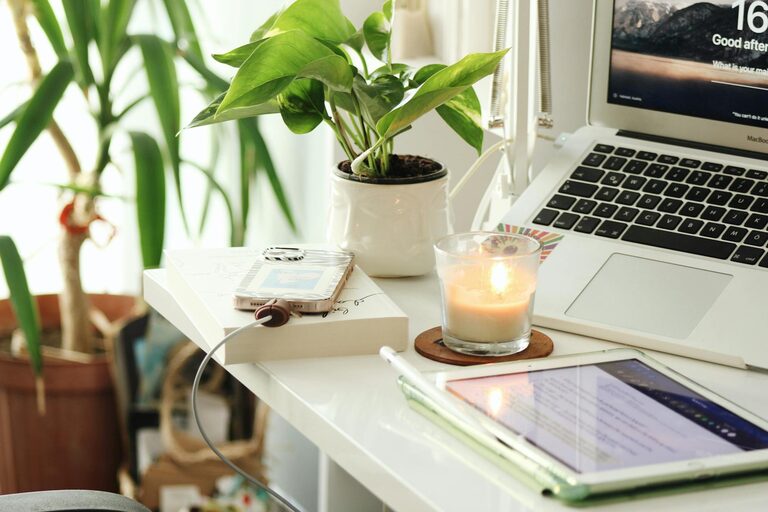
– Add plants to bring nature indoors and improve air quality
– Choose colours for walls or accessories that make you feel calm or motivated
Personalising your space makes it more enjoyable to spend time there.
Minimize Distractions
To stay focused, it’s important to manage distractions:
– Establish clear boundaries with family or housemates about your work hours
– Use noise-cancelling headphones or play soft instrumental music
– Keep your phone on silent or in another room when possible
– Use apps to limit social media or non-work-related notifications
Reducing interruptions helps maintain momentum during work sessions.
Take Regular Breaks
Even in a cozy, productive space, your body and mind need rest:
– Follow the 50/10 rule: 50 minutes of focused work, then a 10-minute break
– Use breaks to stretch, walk around, or hydrate
– Step outside briefly if you can for fresh air and sunlight
Short breaks improve concentration and prevent burnout.
Incorporate Technology Thoughtfully
Modern tools can boost productivity but avoid tech overload:
– Choose reliable hardware and software that meets your needs
– Keep screen time balanced with offline tasks if possible
– Use video calls thoughtfully and keep an organized digital workspace
Technology should support, not overwhelm, your workflow.
Keep It Flexible
Your needs may change, so design a versatile workspace:
– Use modular furniture that can be rearranged
– Opt for storage solutions that can grow with your work materials
– Consider a sit-stand desk or convertible setup for variety
Flexibility allows your home office to adapt as you do.
—
Creating a cozy and productive home office is about balancing comfort with functionality. With some thoughtful planning and simple adjustments, your workspace can become a place you look forward to each day, making your work-from-home experience both enjoyable and efficient. Start small, and adjust as needed to find the best setup for you.


More Stories
Tips for Creating a Cozy and Productive Home Office Space
Tips for Creating a Cozy and Inviting Home Office Space
Tips for Creating an Inviting and Productive Home Office Space